
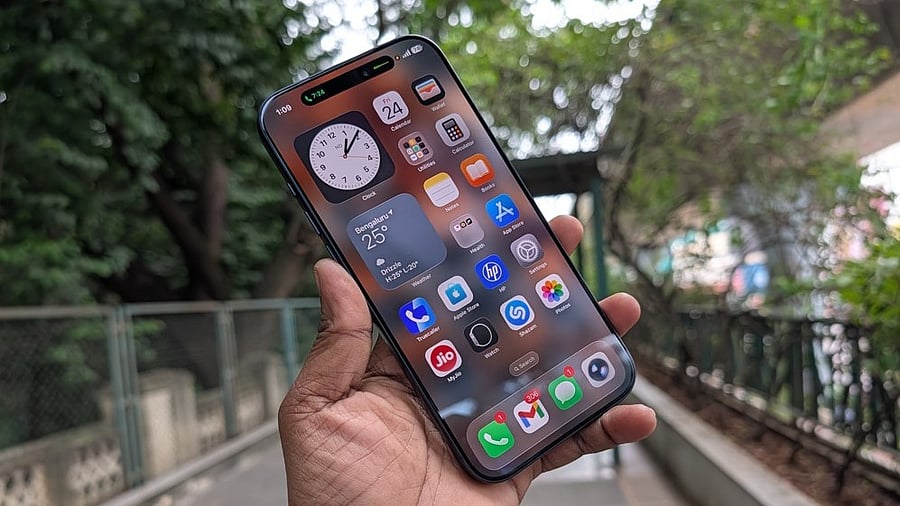
Apple iPhone 17 Pro Max.
Credit: DH Photo/KVN Rohit
Apple has begun rolling out the new iOS 26.2 to all eligible iPhones worldwide.
Measuring over 11.4GB in size, the iOS 26.2 is a major update. Besides new features and it brings several bug fixes to resolve serious security vulnerabilities in the iPhone.
In Apple Music, users will be able to download lyrics with songs and be able to view them without an internet connection. Also, the Favourite Songs playlist will now appear in Top Picks on the Home tab.
While listening to a Podcast, Apple Music will automatically generate chapters to make it easier for users to navigate episodes.
The iOS 26.2 update brings new AirDrop codes. It offers an additional layer of verification when using AirDrop with unknown contacts by providing a code on the receiver's device that the sender must enter to complete the transfer.
The new update also introduces more controls to users for Liquid Glass UI on the lock screen. They will be able to customise the clock's appearance to switch between transparent and frosted (almost opaque).
It also brings a new Passwords option to help users add password credentials to online accounts, which were previously not linked to a password manager app on iPhone.
iOS 26.2 update.
Credit: Apple
The new iOS 26.2 update also introduced an alarm option to reminders. This way, the reminder feature will blare a loud sound notification to let the owner complete the task. It will also offer a slider option to turn on snooze. When pressed, it will show a countdown as well.
The update also introduced Screen Flash for emergency alerts. Previously, iPhone users had the option to turn the LED flash on the back for notification alerts. With the new update, users will get a new flash feature for the screen to let the user know there is a new notification, such as calls, messages, emails, including earthquake alerts, and possible cyber threat alerts. This will be similar to the screen flash feature for selfies in low-light conditions.
The iOS 26.2 fixes a couple of Zero-day vulnerabilities. It resolves an issue (marked as CVE-2025-43529) in WebKit that allowed hackers to execute code on iPhone when processing maliciously crafted web content.
It also addresses a memory corruption issue (CVE-2025-14174 ) in WebKit that may have led to memory corruption when processing maliciously crafted web content.
For the uninitiated, zero-day means a software security vulnerability, where the concerned experts (in this case, engineers at Apple) were previously unaware of its existence, but some hackers may have exploited it to attack systems.
Apple noted that both issues may have been exploited in an extremely sophisticated attack against specific targeted individuals on versions of iOS before iOS 26.
The company has urged Apple device owners to update to the latest version as soon as possible.
List of iPhones eligible for iOS 26.2 update:
iPhone 16e, iPhone 16, iPhone 16 Plus, iPhone 16 Pro, iPhone 16 Pro Max, iPhone 15, iPhone 15 Plus, iPhone 15 Pro, iPhone 15 Pro Max, iPhone 14, iPhone 14 Plus, iPhone 14 Pro, iPhone 14 Pro Max, iPhone 13, iPhone 13 mini, iPhone 13 Pro, iPhone 13 Pro Max, iPhone 12, iPhone 12 mini, iPhone 12 Pro, iPhone 12 Pro Max, iPhone 11, iPhone 11 Pro, iPhone 11 Pro Max, and iPhone SE (2nd gen).
Apple has also released iPadOS 26.2 to eligible iPads. It brings the same new features we see in iOS 26.2 and also fixes security issues in the device.
List of Apple iPads eligible for iPadOS 26.2 update:
iPad Pro (M4), iPad Pro 12.9‑inch (3rd generation and newer versions), iPad Pro 11‑inch (1st generation and newer versions), iPad Air (M3), iPad Air (M2), iPad Air (3rd generation and newer versions), iPad (A16), iPad (8th generation and newer versions), iPad mini (A17 Pro), and iPad mini (5th generation and newer versions).
Here's how to install iOS 26.2/iPadOS 26.2 on iPhones and iPads:
Via OTA (Over-The-Air)
Prerequisite: Users who want to install the update directly onto the device through OTA, make sure there is enough storage space and the device has more than 50% battery life, before initiating the download of the new iOS/iPadOS update.
Step 1: Settings >> General >> Software update
Via manual installation through Apple iTunes
Prerequisite: Make sure to back up your iPhone/iPad with either iCloud or via iTunes before initiating the download procedure. Also, your PC must have the latest version of the iTunes app. If not, go to About and then check for Updates or visit iTunes.com.
Step 1: Launch iTunes on your Mac or PC.
Step 2: Insert your iPhone/iPad if it isn't already.
Step 3: Tap on the iPhone/ iPad in the top left navigation.
Step 4: Tap on the Check for Update button in the first section that contains information about your device, and alternatively, you can click Restore instead if you'd like to do a clean wipe with updated software.
Step 5: An update should be recognised, click on Download and Update in the pop-up menu and agree to the terms and conditions.
Step 6: Unlock your device with your passcode if prompted to continue with the upgrade.
Get the latest news on new launches, gadget reviews, apps, cybersecurity, and more on personal technology only on DH Tech.