
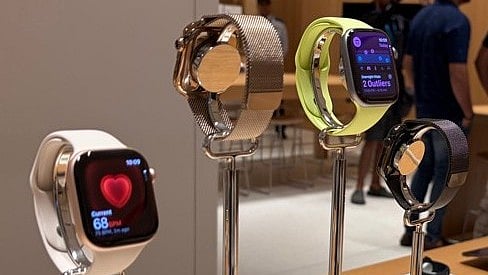
Apple Watch Series 11 displayed at Apple Hebbal Store.
Credit: DH Photo/KVN Rohit
Two of the new key features of Apple's latest Watches were the Sleep score and the Hypertension notification. Although the former was available from the start, the latter wasn't.
Due to a delay in obtaining approval from domestic health regulatory agencies, Apple was finally able to roll out the heart health feature not just to the latest Watch Series 11 and Ultra 3, but also to select older devices.
Here's why Hypertension notification is so critical to have on a smart wearable:
In cities around the world, we call people who live a fast-paced life, but in reality, it is very passive. There is less physical activity, as people sit in front of the desktop, on average, for close to nine hours and spend around two hours in traffic, breathing toxic fumes from the vehicles.
When reaching home, most people feel tired, and they just hurriedly eat, most probably packaged foods and retire to bed. And, the cycle continues for five work days a week. In addition to physical strain, people develop stress at work over unfinished work and a deadline approaching. Over time, they unknowingly develop hypertension, as there will be no noticeable symptoms.
Hypertension Detection feature on Apple Watch.
Credit: Apple
For the uninitiated, Hypertension is a medical term for when the force of blood against the walls of the arterial vessels is consistently too high. Persistent pressure on the walls of the artery will lead to severe health conditions, including heart attack, stroke, and kidney failure, which have the potential to cause death.
Hypertension is one of the biggest silent killers worldwide, as noted above, it shows no visible symptoms while damaging vital organs over time.
As per the latest reports, more than 1.4 billion people have hypertension, and a very small percentage of people get diagnosed on time to be able to get medication and improve heart health.
Here's how to enable the Hypertension feature on Apple Watches:
Step 1: Open the Health app on your iPhone.
Step 2: Tap the profile icon in the top corner.
Step 3: Under Features, tap Health Checklist.
Step 4: Tap Hypertension Notifications.
Confirm your age and if you’ve ever been diagnosed with hypertension, then tap Continue.
Step 5: Tap Next to follow the onscreen prompts to find out how the notifications work.
Step 6: Tap Done.
It should be noted that the hypertension feature on Apple Watches will take 30 days to note the heartrate pattern to identify signs of heart health risks.
If you receive a Hypertension Notification, please take an appoinment with the doctor for a second opinion. If required get medication as per the instruction of the heart health specialist.
List of Apple watches which support the Hypertension notification feature:
Besides the latest Watch Series 11 and Watch Ultra 3, it is available on Apple Watch Series 9, Series 10, Watch Ultra 1 and 2 versions as well.
Get the latest news on new launches, gadget reviews, apps, cybersecurity, and more on personal technology only on DH Tech.