
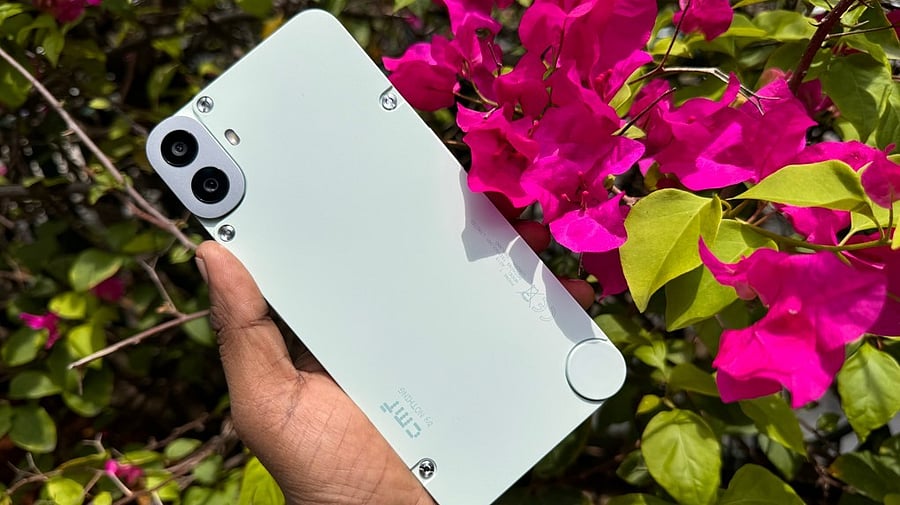
CMF Phone 1 series.
Credit: DH Photo/KVN Rohit
CMF, the subsidiary of Nothing Inc., has begun rolling out the much-awaited Android 16-based NothingOS 4 to all eligible phones.
The new NothingOS 4.0 update brings several features, including Extra Dark Mode with deeper black UI and contrast, which further reduces the power consumption rate.
Also, it promises better readability across Notifications, Quick Settings, and the App Drawer, with support extended to first-party apps like Essential Space.
Another notable user interface enhancement is the availability of more widget sizes, 1×1 and 2×1 widget layouts for Weather, Pedometer, and Screen Time, offering greater flexibility when customising the home screen.
Also, users will be able to open and manage two floating apps at once. This helpsin switching seamlessly with simple swipe gestures.
The new OS offers a hidden app icon option for privacy. Users will be able to hide apps from the App Drawer while remaining easily accessible, helping users maintain a clean and personal layout.
NothingOS 4.0
Credit: Nothing Inc.
NothingOS 4.0 brings refined system animations, offering smoother, more tactile animations across touches, swipes, and gestures.
It also promises improved transitions with subtle background scaling that create a more immersive and connected feel between apps and the home screen.
Android 16 brings an option for customers to customise haptic feedback (vibration) using volume rockers. Subtle haptic cues at maximum and minimum volume levels provide instant physical feedback, even without looking at the screen.
CMF Phone 1.
Credit: DH Photo/KVN Rohit
The rollout is being carried out in phases, starting with CMF Phone 1. CMF Phone 2 Pro will follow at the beginning of January 2026.
Here's how to install the Android 16-based NothingOS 4.0 update on your CMf Phone:
Go to Settings > System > System updates>> Check for update.
If it shows the update is available, then follow the on-screen prompts to download and install it on your phone.
It should be noted that this is a major Android OS update and comes in excess of 2GB. So, make sure to download it via Wi-Fi and ensure the device has more than 50 per cent before initiating the software update procedure.
Get the latest news on new launches, gadget reviews, apps, cybersecurity, and more on personal technology only on DH Tech.