
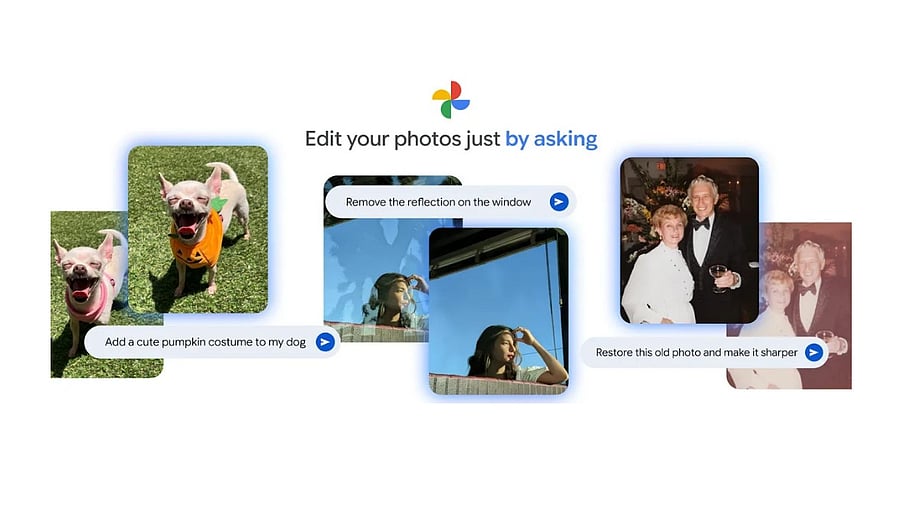
Edit my Photo on Google Photos.
Credit: Google
In November 2025, Google launched the Nano Banana generative Artificial Intelligence (gen AI)-powered 'Help me Edit' feature in Google Photos. However, it was limited to select regions, including the US.
Now, it has finally arrived in India. 'Help me edit' is a conversational editing tool, where users can type the description of what add or remove in the picture. Or users can also just speak about what adjustments have to be made to the image.
Here's how to use the 'help me edit' feature on Google Photos:
Go to Google Photos >> select any photo >> and tap, 'Help me edit.' and describe the change you want to see in the image.
Users can also ask the Photos app to remove a friend's sunglasses, open their eyes, or make them smile. The feature uses images from the private face groups to generate accurate, personalised edits of the people in the photo library.
Google Photos app gets 'Help me edit' feature.
Credit: Google
And with Nano Banana in Google Photos’ editor, users can ask for all kinds of new transformations to the images. Just describe a new style and watch how the image description comes to life in seconds.
As part of transparency initiative, all images edited using Google Photos app, will come with SynthID and C2PA (Coalition for Content Provenance and Authenticity) Content Credentials in Google Photos, which attaches a permanent digital label showing a modified image’s origin and edit history.
In India, the 'Help me edit' feature of Google Photos, for now, supports five Indian languages-- Hindi, Tamil, Marathi, Telugu, Bengali and Gujarati in addition to English. It plans to support more languages in the coming months.
'Create with AI template feature of Google Photos app.
Credit: Google
To play with the 'help me edit' feature on the Google Photos app, the Android device has to have at least 4GB of RAM and run Android 8.0 or newer OS version.
Get the latest news on new launches, gadget reviews, apps, cybersecurity, and more on personal technology only on DH Tech.