
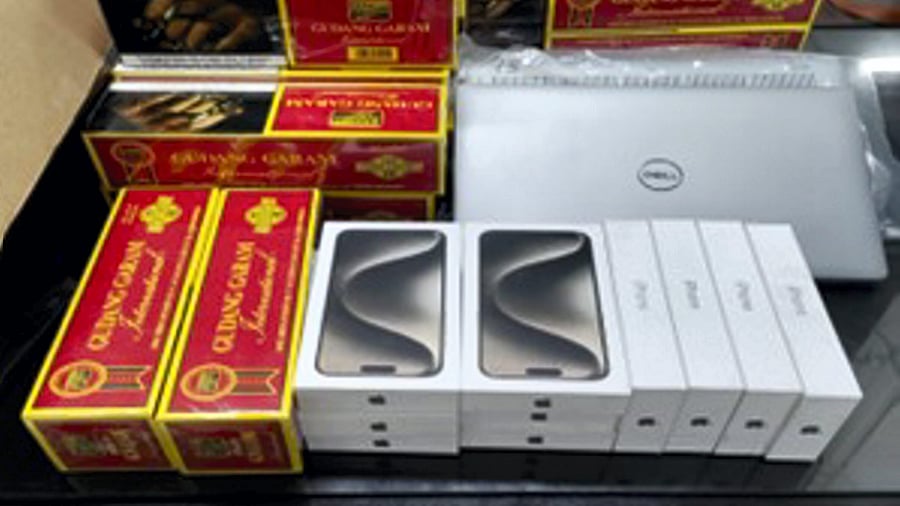
File Photo: Electronic gadgets, including expensive iPhones and foreign-origin cigarettes, were seized with gold bars, collectively valued at over Rs 37 lakh, from two passengers who arrived from Sharjah, by Customs officials at the Nagpur international airport.
Credit: PTI Photo
Bengaluru Customs, which comes under the Central Board of Indirect Taxes & Customs, routinely screens passengers at the Kempegowda International Airport, coming from foreign trips, to keep a check on high-value products illegally entering the country. Those items, for which the citizens fail to provide a legal document to support their purchase, are seized by the customs officials.
They can be retrieved by paying the penalties. But if the passenger fails to pay the fees within the prescribed time, the items get sent to the Customs warehouses. To clear the stocks, they regularly host auctions of items. Here, Bengaluru Customs too hold such auctions, and it is slated do so later this month.
Bengaluru Customs office will host auction on December 30, and as per the official message on X platform, there are lots of popular products such as phones, computers, iPads and TVs in the offing for much less than the market price.
Indian citizens can buy those products from the online auction. However, they have to register themselves at the government's official website: (Metal Scrap Trade Corporation) MSTC E-Commerce.
Not just consumer electronics goods, people can buy vehicles, electrical equipments, furniture, and apparel at much lower the actual price on MSTC portal.
Here's how register and become auction buyer on MSTC E-commerce portal:
Step 1: Go to MSTC E-Commerce (here).
Step 2: Tap Search Auction (blue tab at the centre)
Screen-grab of MSTC E-Commerce website.
Step 3: Select Upcoming Auction >> Select: All and fill in the 'from' and the 'to' date details
Screen-grab of MSTC E-Commerce website.
Step 4: Then select 'Filter by Office' >> Select State (Karnataka) >> Select City - 'BLR-MSTC Bangalore Office' >> Select Item Type (left side) -- 'Electronics' >> Computers/phones/tablet/peripherals and tap Search
Step 5: You will be asked to type captcha, and once you get granted permission to the next page, scroll down to find the 'mobile/tablet' category linked to MSTC/BLR/Additional Commissioner of Customs Air Cargo Complex division/1/Bengaluru/25-26/50088 (Sl number 10 shown in the screen-grab) (in the screen-grab below), press 'Click Here'.
Screen-grab of MSTC E-Commerce website.
Step 6: Then, you will be asked to register as a new user. For more information, it offers a registration video guide right next to the New Registration tab.
Screen-grab of MSTC E-Commerce website.
There, you will be asked to accept the General Terms and Conditions (GTC) of e-Auction to register as 'Buyer', and on the next page, he/she will be asked to accept Buyer Specific Terms and Conditions (BSTC) and press 'Agree'
Step 7: Then, a buyer registration form will open and select 'General Auction' and tap the 'Proceed' button.
Step 8: Then, you will be asked to type-in email ID and registered phone number and do Captcha security check. You will receive OTPs on both your email ID and your phone number.
Once you input the mobile number OTP and email OTP, click the submit button to proceed.
Step 9: After successful OTP verification, the user will be directed to the new 'buyer registration form' webpage. Fill all the relevant details such as buyer type (general auction), company, address with details such as country, state, city, pin code, email ID, phone number, preferred username, and password. If you have a GST registration number, fill in the details as well. This is optional.
Also, the system will ask for relevant Pollution Control Board Certified/Restricted items. If the forms are applicable, select the relevant option and move to the next step. And, the registration gets finalised.
Step 10: Then, go back to the registration portal (here) and type in the username and password. Then, the user will be directed to the e-payment portal. There, the buyer has to pay a fee through NEFT or RGTS. Follow the onscreen instructions, fill out the bank details. Once paid, secure the online payment challan.
Once the payment is done, the buyer's account will be activated and taken to the registered bidder's screen.
Then, on the day of the auction, go to the website and purchase on the MSTC e-commerce portal.
Get the latest news on new launches, gadget reviews, apps, cybersecurity, and more on personal technology only on DH Tech.